
Home Internet Options for Rural and Remote Addresses

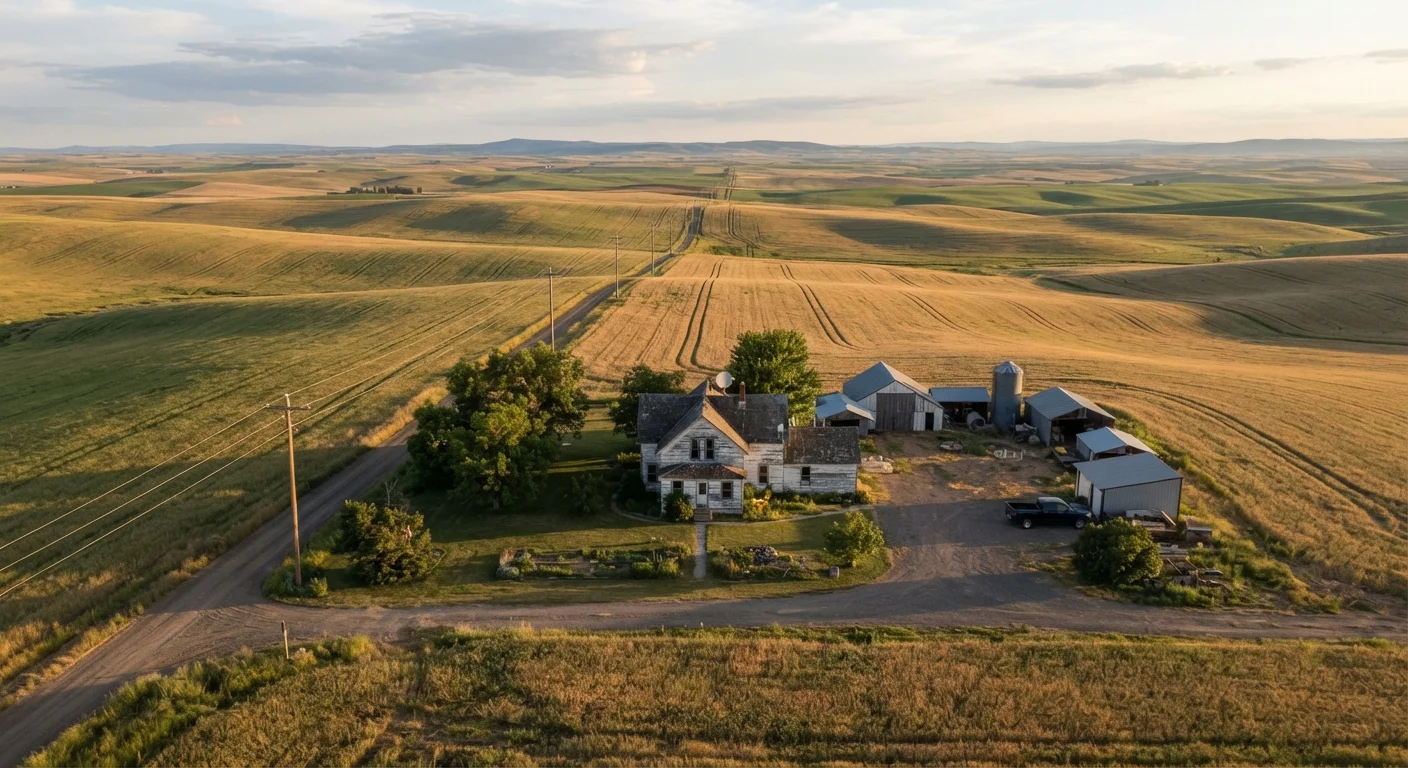
Photo: ScoutAnswers.com | Blogs That Ignite Curiosity editorial
Key Takeaways
- Rural addresses typically have fewer ISP options, but fixed wireless, satellite, and DSL remain widely available.
- Low-Earth orbit satellite services have significantly reduced latency compared to traditional geostationary satellite.
- Federal programs like the FCC's broadband mapping initiative are actively expanding rural fiber and fixed wireless access.
- Understanding each technology's trade-offs in speed, latency, and data limits helps you choose the right fit.
- Checking multiple availability tools - including your state's broadband office - gives the most accurate picture of local options.
Why Rural Connectivity Looks Different
Living outside a metropolitan area often means working with a shorter list of internet providers. The infrastructure economics are straightforward: laying fiber or coaxial cable across miles of low-density terrain costs significantly more per customer than deploying the same technology in a dense suburb. That gap has historically pushed rural households toward technologies that travel through the air rather than through the ground.
The landscape is genuinely shifting, though. Federal broadband funding programs, low-Earth orbit satellite services, and improved fixed wireless equipment are reaching addresses that once had only one viable option - or none at all. Before you commit to a plan, it pays to understand exactly what each technology delivers and where it falls short. Our breakdown of the four main home internet technologies is a good starting point if you're new to these distinctions.
Below are the primary options available to most rural and remote addresses in the United States, along with what each one actually means for day-to-day use.
Fixed Wireless Access (FWA)
Fixed wireless access delivers internet service via radio signals transmitted from a tower to a receiver antenna mounted on your home. It doesn't require trenching or cable runs, which makes it considerably easier to deploy in rural areas than fiber or cable. Download speeds typically range from 25 Mbps to 100 Mbps with many providers, though newer equipment using Citizens Broadband Radio Service (CBRS) or millimeter-wave spectrum can push speeds higher in favorable conditions.
The main limitations are line-of-sight requirements and weather sensitivity. Dense tree cover, hills, or buildings between your home and the tower can degrade signal quality. Latency is generally lower than traditional satellite - often in the 20-50 millisecond range - making it workable for video calls and light gaming.
Fixed wireless avoids costly ground infrastructure, making it one of the most practical rural options available today.
Low-Earth Orbit (LEO) Satellite
Unlike traditional geostationary satellites that orbit roughly 22,000 miles above Earth, LEO satellite constellations operate at altitudes of 340-1,200 miles. That dramatically shorter signal path reduces round-trip latency from the 600+ milliseconds typical of older satellite services to roughly 20-60 milliseconds under normal conditions - a meaningful improvement for video calls and real-time applications.
Download speeds on LEO satellite services commonly range from 50 Mbps to 200 Mbps, though performance varies with network congestion and weather. The trade-offs include higher equipment costs (the dish and router hardware), monthly service fees that are often above regional averages, and data deprioritization policies during peak hours. For a fuller picture of how satellite internet performs in practice, see our guide to satellite internet.
LEO satellite has cut rural latency from hundreds of milliseconds down to the range of a typical fixed broadband connection.
Traditional Geostationary Satellite
Geostationary satellite services have served rural addresses for decades and remain available across virtually all of the continental United States. The coverage footprint is unmatched - if you have a clear southern sky, you can generally receive service regardless of how remote your address is.
The persistent drawback is latency. Because signals must travel to a satellite roughly 22,236 miles above the equator and back, round-trip times rarely fall below 550-600 milliseconds. That high latency makes real-time applications like video conferencing and interactive gaming frustrating. Data caps are also common and can be restrictive for households with heavy streaming habits. For most rural users, geostationary satellite is best treated as a fallback when no other option is available.
Geostationary satellite covers nearly every rural address in the U.S., but its high latency limits real-time use cases significantly.
DSL (Digital Subscriber Line)
DSL transmits data over existing copper telephone lines, which means it's available in many rural communities that already have landline phone infrastructure. No new physical deployment is needed in those areas, which historically made DSL one of the first broadband options to reach rural zip codes.
Speed and reliability degrade with distance from the provider's central office or node. Households within a mile or two may see download speeds of 25-50 Mbps; those several miles out often experience single-digit speeds. Very-high-speed DSL (VDSL2) and fiber-to-the-node (FTTN) configurations can improve performance, but those upgrades are not universally deployed. DSL is generally adequate for basic browsing and video streaming on one or two devices, but struggles with multi-device households or bandwidth-intensive work-from-home needs.
DSL's reach via existing phone lines gives it a rural footprint that newer technologies are still working to match.
Expanding Fiber and Federal Programs
Fiber-optic internet - which delivers data via pulses of light through glass or plastic strands - offers symmetrical upload and download speeds, low latency, and high reliability. It has historically been concentrated in urban and suburban markets, but federal infrastructure investment is actively pushing fiber into rural areas. Programs administered through the USDA (ReConnect Program) and the FCC (Enhanced Alternative Connect America Cost Model, or E-ACAM) provide grants and loans to build out broadband infrastructure in underserved communities.
Timelines vary widely: some federally funded projects are already delivering service, while others are still in planning or permitting phases. Checking with your state broadband office or local electric cooperative - which are increasingly becoming internet service providers in rural regions - can give you a more current picture of what's coming to your area. For a realistic assessment of fiber's coverage gaps and installation process, our article on fiber internet's upsides and fine print covers the details.
Rural electric cooperatives are emerging as important fiber builders, often filling gaps that commercial ISPs have not prioritized.
How to Find What's Actually Available at Your Address
Provider coverage maps are a useful first step but are often optimistic - they may show a technology as available in your area even when your specific address isn't served. The FCC's National Broadband Map (broadbandmap.fcc.gov) lets you search by address and see reported availability by technology type, and it includes a challenge process if the data looks wrong for your location.
Use Multiple Tools to Check Availability
Your state broadband office is another underused resource. Many states maintain their own availability databases and can connect residents with subsidy programs that reduce equipment or monthly costs. If you're starting from scratch on understanding service types, speeds, and equipment, our first-timer's primer on home internet covers the fundamentals in plain language.
Once you've identified what's technically available, compare plans on data caps, contract terms, and realistic (not advertised) speeds - especially if you work from home, stream video regularly, or have multiple connected devices running simultaneously.
The content on this site is for informational purposes only and is not a substitute for professional advice. Always consult a qualified professional for guidance specific to your situation.