
Wi-Fi, Zigbee, Z-Wave, and Thread: The Wireless Protocols Behind Smart Devices

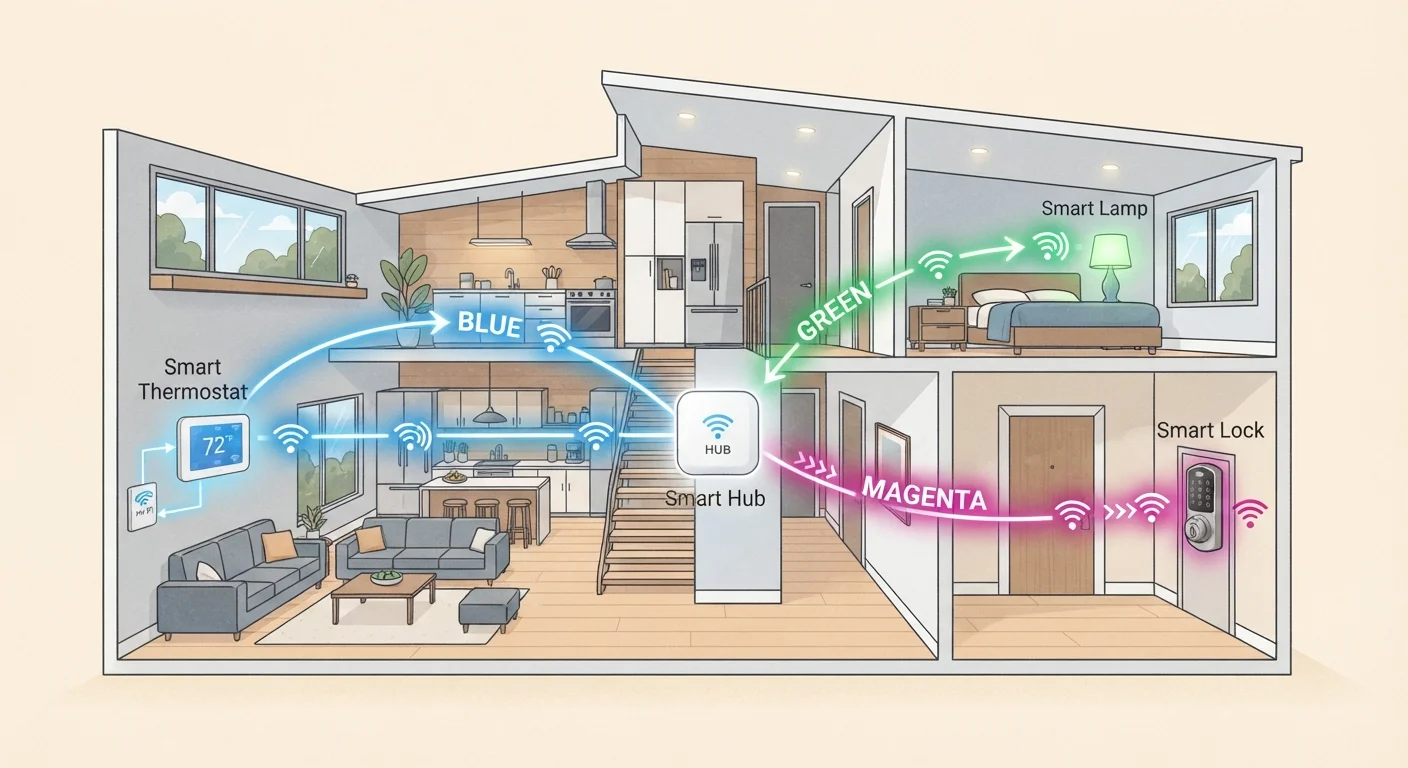
Photo: ScoutAnswers.com | Blogs That Ignite Curiosity editorial
Why Your Smart Devices Don't All Speak the Same Language
If you've ever bought a smart plug that works flawlessly with one app and a smart bulb that requires an entirely separate hub, you've encountered the real-world consequence of competing wireless protocols. A protocol is simply a standardized set of rules that governs how devices communicate. In a smart home, the protocol a device uses determines its range, battery efficiency, speed, and - critically - which other devices and hubs it can work with.
Four protocols dominate the consumer smart home space today: Wi-Fi, Zigbee, Z-Wave, and Thread. Understanding what separates them helps explain why a thermostat and a door lock behave so differently, and why compatibility headaches persist even as the market matures. For a broader look at how these pieces fit together, see What 'Smart Home' Actually Means - and How It Works.
| Wi-Fi typical range (indoors) | ~100-150 feet from router |
| Zigbee operating frequency | 2.4 GHz (globally) |
| Z-Wave US operating frequency | ~908 MHz |
| Thread protocol basis | IEEE 802.15.4 (same radio layer as Zigbee) |
| Hub required | Yes - for Zigbee, Z-Wave, and Thread (without a Thread border router) |
| Best protocol for battery devices | Zigbee, Z-Wave, or Thread (lower power draw than Wi-Fi) |
The Four Protocols, Explained
Wi-Fi (802.11)
Wi-Fi connects devices directly to your home router on the 2.4 GHz or 5 GHz band - the same network your laptop uses. Its chief advantage is that no additional hub is needed. Its drawbacks are real: Wi-Fi chips draw relatively high power (a problem for battery-operated sensors), and adding dozens of devices can strain a router's connection limit. Wi-Fi is most practical for devices that are always plugged in and need substantial bandwidth, such as security cameras and video doorbells.
Zigbee (802.15.4)
Zigbee operates on the 2.4 GHz band but uses far less power than Wi-Fi. Devices form a mesh network, meaning each mains-powered node can relay signals for other devices, extending range without a direct line to a hub. Zigbee is widely used in smart bulbs, motion sensors, and door contacts. It requires a compatible hub or coordinator to bridge the network to your router. One persistent limitation: different manufacturers have historically implemented Zigbee in incompatible ways, so a Zigbee bulb from one brand may not pair with another brand's hub.
Z-Wave
Z-Wave also forms a mesh network and prioritizes low power consumption. Unlike Zigbee, Z-Wave operates in the sub-1 GHz band (around 908 MHz in the US), which gives it better wall-penetration characteristics and avoids interference from Wi-Fi and Bluetooth. Z-Wave enforces stricter interoperability certification requirements, which has historically meant fewer compatibility surprises between brands - but also a smaller overall device ecosystem compared to Zigbee. A hub is required.
Thread
Thread is a newer IP-based mesh protocol built on the same 802.15.4 radio layer as Zigbee but designed to integrate more naturally with internet infrastructure. Devices running Thread are addressable like any networked device, which simplifies local control and removes single-hub dependency. Thread is a core radio used by the Matter standard - an industry initiative designed to unify smart home compatibility. To understand where Matter fits in, see Matter: The Smart Home Standard That's Trying to End the Compatibility Problem.
Mesh network
A network topology in which each connected device can relay data for other devices. This extends coverage range without requiring every node to connect directly to a central hub.
Protocol
A standardized set of rules governing how devices communicate, including the radio frequency used, data format, and handshake procedures.
Hub (coordinator)
A central device that bridges a local radio network (such as Zigbee or Z-Wave) to your home router and internet, enabling app control and cloud integrations.
Thread
An IP-based low-power mesh protocol designed for smart home devices. It uses the same radio layer as Zigbee but is internet-addressable and is a key radio technology underlying the Matter standard.
2.4 GHz band
A radio frequency range used by Wi-Fi, Zigbee, and Bluetooth. It offers longer range than 5 GHz but is more susceptible to interference in environments with many competing wireless signals.
Interoperability
The ability of devices from different manufacturers to communicate and work together. Lack of interoperability is the root cause of most smart home compatibility problems.
Choosing a Protocol - or Living With Multiple
Most households end up with a mix of protocols because the smart device market has never converged on a single standard. A practical approach is to identify which protocol your existing hub or voice assistant supports and build around it when possible. Many multi-protocol hubs now support Zigbee, Z-Wave, and Thread simultaneously, which reduces fragmentation.
Network security is also worth considering. Wi-Fi devices join the same network as your computers and phones, so isolating smart devices on a dedicated VLAN or guest network is a meaningful precaution. For foundational network hygiene guidance, see Securing Your Home Network: Practices Every Household Should Follow.
Battery-powered sensors - door contacts, motion detectors, temperature sensors - almost always benefit from Zigbee, Z-Wave, or Thread over Wi-Fi, because their low-power radio designs can run for months or years on a single battery. Plugged-in devices with high data demands (cameras, media players) are better suited to Wi-Fi. Understanding these trade-offs before purchasing a device avoids the frustration of discovering a mismatch after the box is open.
For a complete view of how devices, hubs, apps, and cloud services layer into a functioning system, see The Connected Home Ecosystem.
Multi-Protocol Hubs Are Increasingly Common
The content on this site is for informational purposes only and is not a substitute for professional advice. Always consult a qualified professional for guidance specific to your situation.