
Modem, Router, Gateway: What Each Device Does and Why It Matters

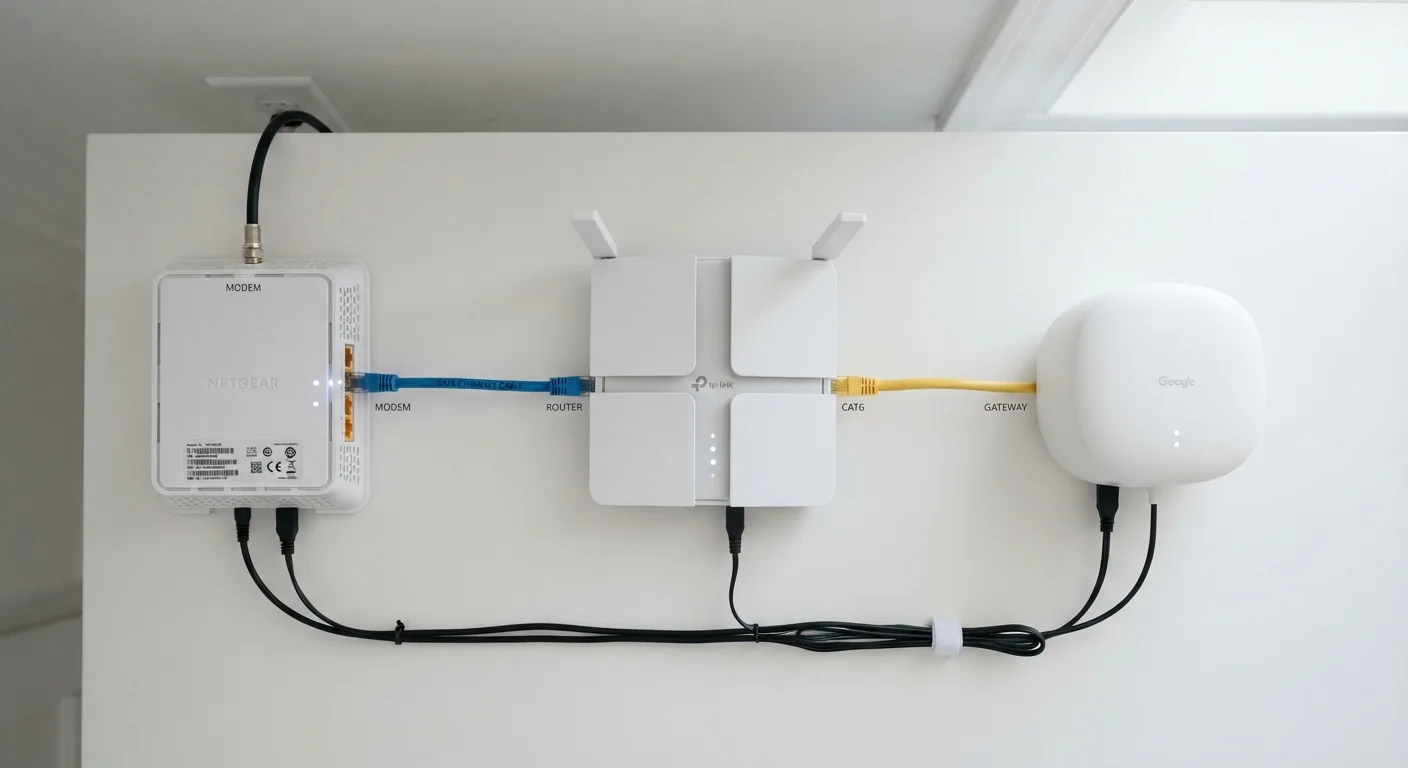
Photo: ScoutAnswers.com | Blogs That Ignite Curiosity editorial
Key Takeaways
- A modem connects your home to the ISP; a router distributes that connection to your devices.
- A gateway combines modem and router in one box - common in ISP rental equipment.
- Owning your own modem or gateway can eliminate a recurring monthly rental fee.
- Fiber internet typically uses an ONT (Optical Network Terminal) instead of a traditional modem.
- Splitting the modem and router gives more control over Wi-Fi performance and network settings.
The Modem: Your Home's On-Ramp to the Internet
The modem sits at the edge of your home network. Its job is to translate the signal coming from your ISP - whether that's a coaxial cable line, a phone line, or a fiber optic strand - into a format that standard networking equipment can use.
For cable internet, modems follow the DOCSIS standard, with DOCSIS 3.1 being the current widely deployed version that supports gigabit-class speeds. DSL modems work over copper phone lines and are typically slower. Fiber connections use an ONT instead, which converts light pulses into ethernet - though the function is conceptually the same.
A modem on its own connects a single device via ethernet. To share that connection across phones, laptops, and smart TVs, you need a router - or a gateway that does both. For a deeper look at how connection types differ at the infrastructure level, see our breakdown of fiber, cable, DSL, and fixed wireless.
The Router: Traffic Director for Your Home Network
Once internet signal reaches your home, the router takes over. It assigns a local IP address to every device on your network using DHCP, and it manages the flow of data between those devices and the outside internet. This process - called NAT - is why dozens of devices can share a single public IP address from your ISP.
Routers also create your Wi-Fi network. The Wi-Fi standard a router supports (Wi-Fi 5, Wi-Fi 6, Wi-Fi 6E, and now Wi-Fi 7) determines its maximum wireless throughput, range, and how well it handles many simultaneous devices. An older router can limit real-world performance even on a fast plan - a common misconception explored in our article on internet speed myths.
Check Your ISP's Approved Device List First
Advanced routers also offer features like parental controls, guest network isolation, VPN support, and detailed traffic monitoring - capabilities not always present in basic ISP-issued gateways.
The Gateway: One Box, Two Functions
A gateway integrates the modem and router into a single unit. This is the device most ISPs hand subscribers when service is activated. It simplifies setup - one power cable, one device to configure - and the ISP can remotely manage firmware updates.
The trade-off is flexibility. ISP-issued gateways are often conservative in their feature sets and may not support the latest Wi-Fi standards. They also come with a monthly rental fee that typically runs between $10 and $15, adding up to $120-$180 annually.
Fiber Internet Works Differently
Subscribers can sometimes avoid the rental fee by purchasing a compatible modem or gateway outright. However, fiber subscribers should check with their provider first - ONT hardware is almost always ISP-owned and not replaceable by the customer.
$10-$15
Typical monthly ISP equipment rental fee
Rental fees vary by provider and plan tier; many major cable ISPs charge within this range for a gateway or modem-router combo.
12-18 months
Average payback period for purchased modem
Based on typical rental fee ranges, a compatible purchased modem or gateway generally breaks even within one to one-and-a-half years.
Wi-Fi 6
Current mainstream router standard (802.11ax)
Wi-Fi 6 is the baseline standard in most new routers as of the mid-2020s, offering improved throughput and better performance in multi-device households.
Renting vs. Owning: What the Numbers Say
For cable subscribers, purchasing a DOCSIS 3.1 modem or a combined gateway can pay for itself within one to two years compared to paying monthly rental fees. After that, every month is savings. The key steps are: confirm the device is on your ISP's approved compatibility list, check which DOCSIS version your plan requires, and verify it supports the speed tier you're subscribed to.
Separate modem-plus-router setups give the most flexibility. You can upgrade just the router when Wi-Fi standards advance without replacing the modem, and vice versa. This modular approach also makes troubleshooting simpler - if your internet drops, it's faster to determine whether the fault lies with the ISP-side modem or the home-side router.
For readers setting up home internet for the first time, our first-timer's primer on home internet covers what to expect from the full process, from choosing a plan to getting your first device online. Once your network is running, it also serves as the backbone for smart home devices that rely on a stable local connection.
If you encounter unfamiliar terms in your ISP's documentation, our home internet glossary defines 30 of the most common in plain English.
Frequently Asked Questions
The content on this site is for informational purposes only and is not a substitute for professional advice. Always consult a qualified professional for guidance specific to your situation.